01
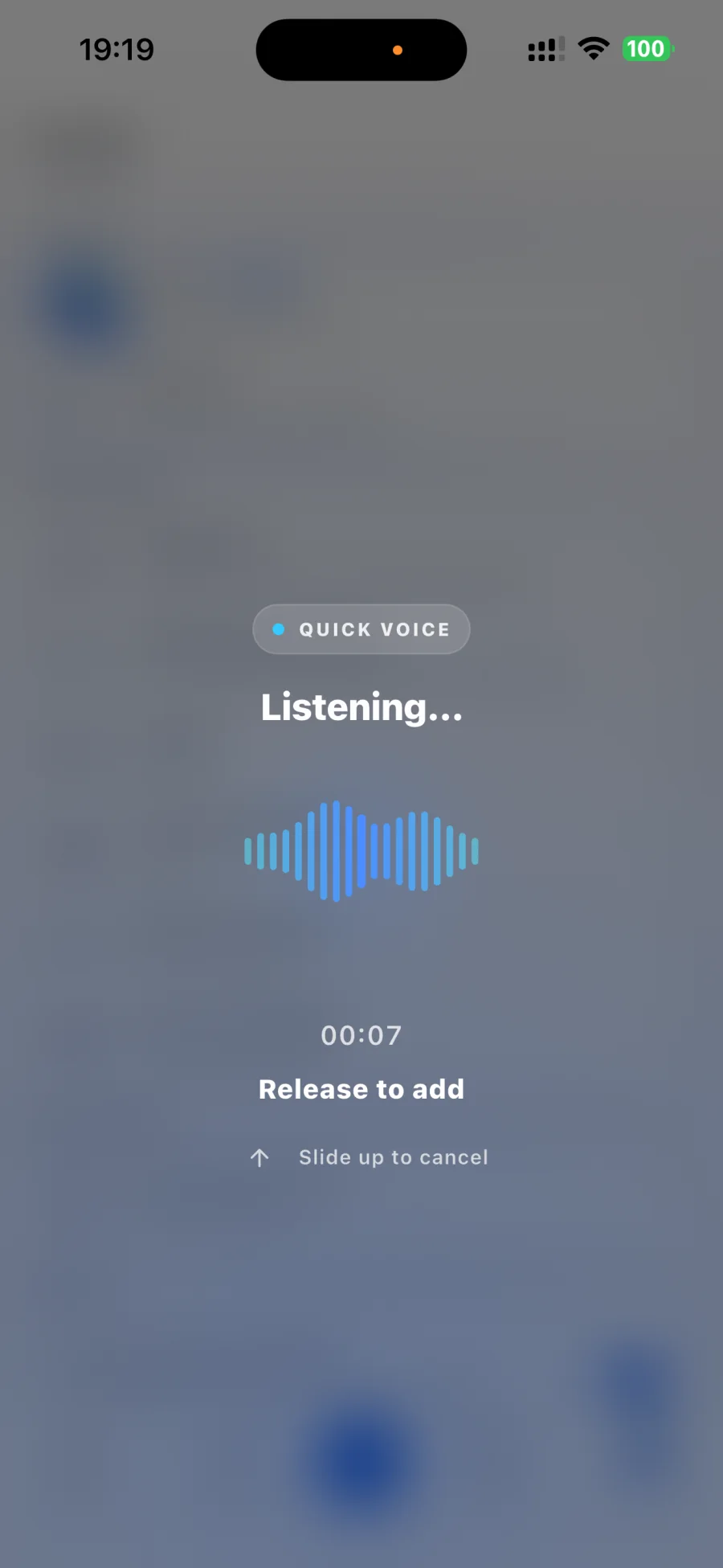
Hold and talk
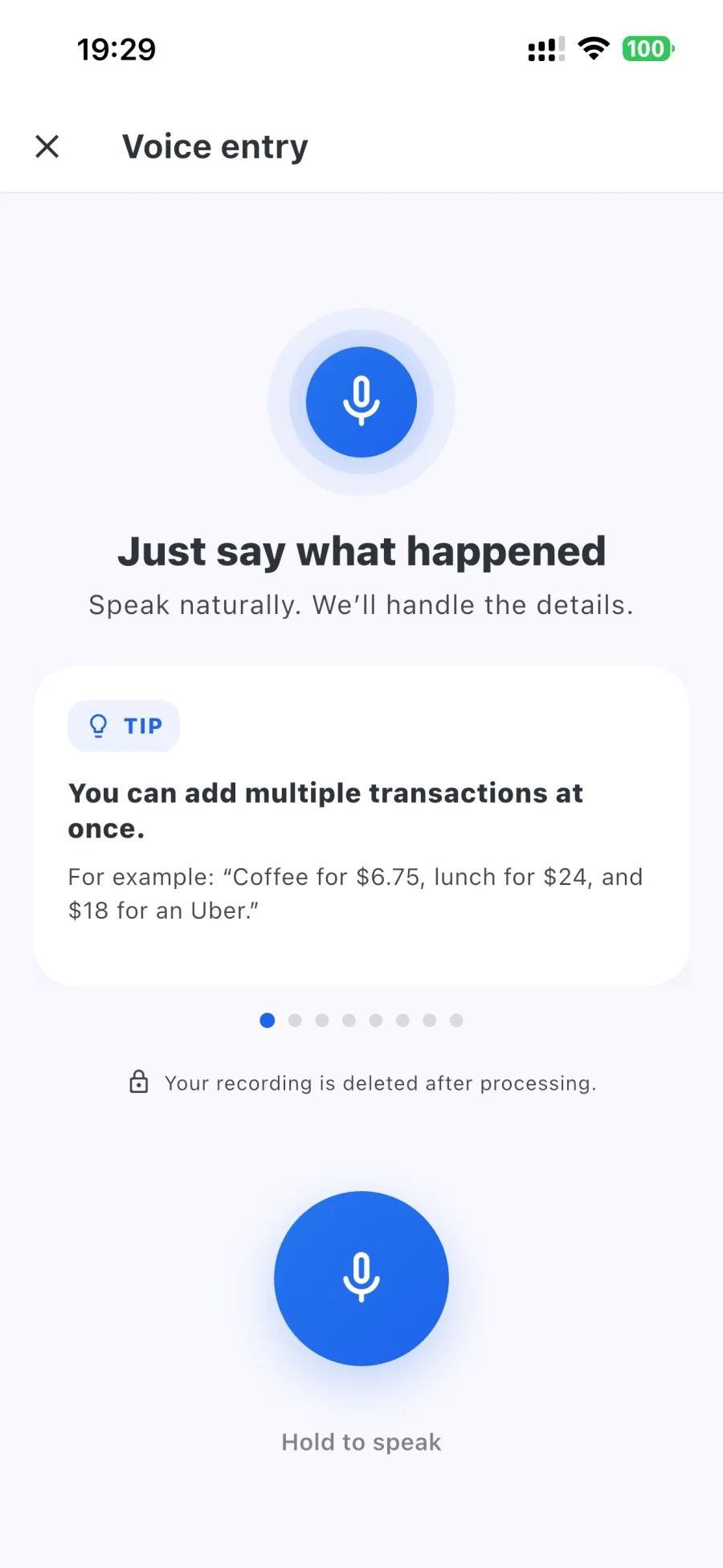
Skip the commands. Say what happened in your own words—even when one thought includes several transactions.
Voice-first expense tracking
Hold, say what happened in your own words, and release. Rizur turns one natural voice note into organized transactions—then lets you review the result.
Multilingual voice entrySpeak naturally across many languages.
Free to download on iPhoneCore tracking stays free
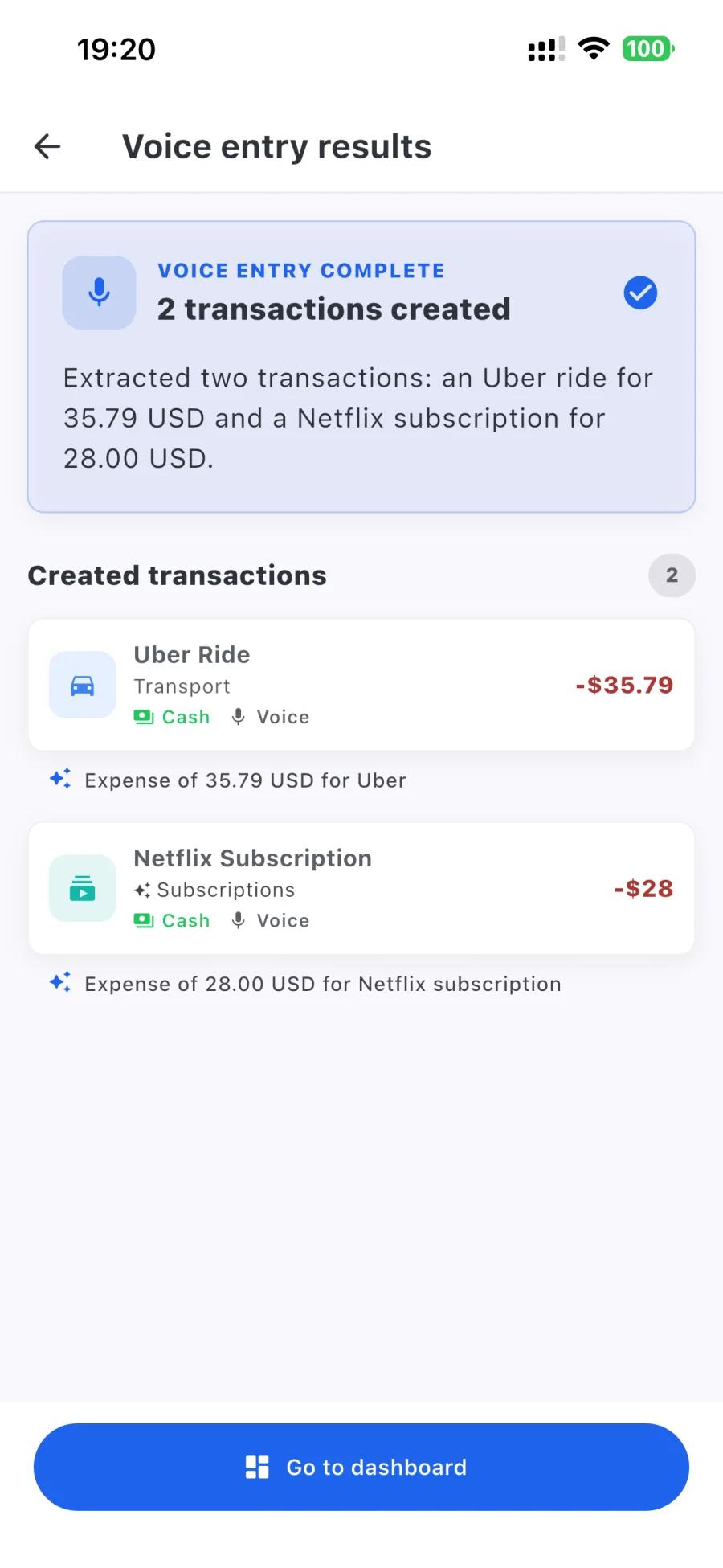
One thought in. A tidy ledger out.
Talk like a person, not a form. Rizur listens for the useful parts, organizes them, and keeps the result open for your review.
Skip the commands. Say what happened in your own words—even when one thought includes several transactions.
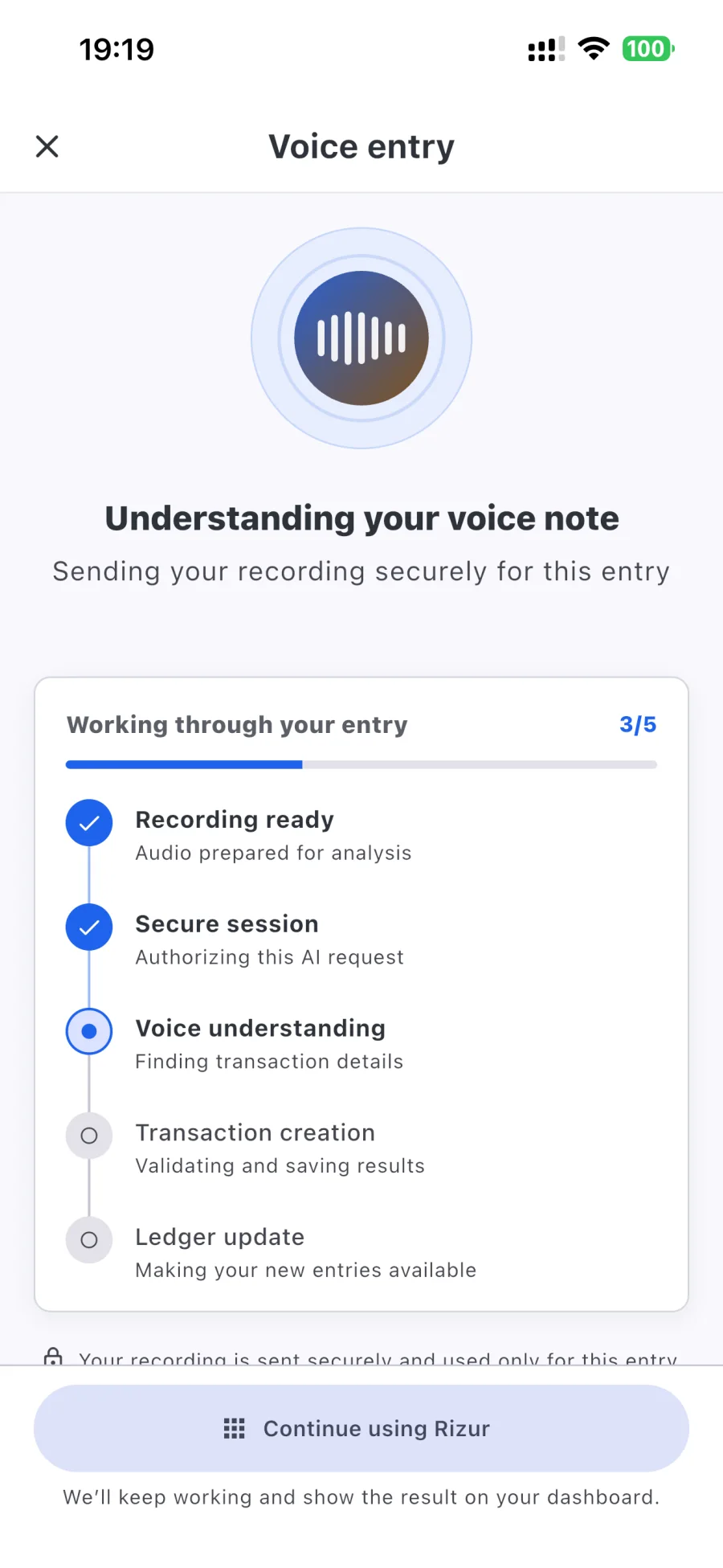
Rizur finds the useful details and can keep working while you return to the rest of the app.
See the transactions Rizur created, then edit anything that needs your attention.
“Coffee for $6.75, lunch was $24, and $18 for an Uber.”
One natural note can include merchants, amounts, dates, categories, currencies, categories, and income—understood across many languages, so you can speak the way you normally would.
However the expense reaches you
Voice is the shortcut. Receipts, Gmail, and a thoughtful manual form are there whenever they fit better.
Hold, describe the expense or income in your own language, and release. One note can include several transactions.
Capture a receipt or choose one from your photos, then review the extracted details and line items.
Turn supported transaction alerts into entries with read-only access and matching rules you control.
Use a dependable manual form for expenses, income, categories, notes, and items.
What Rizur handles
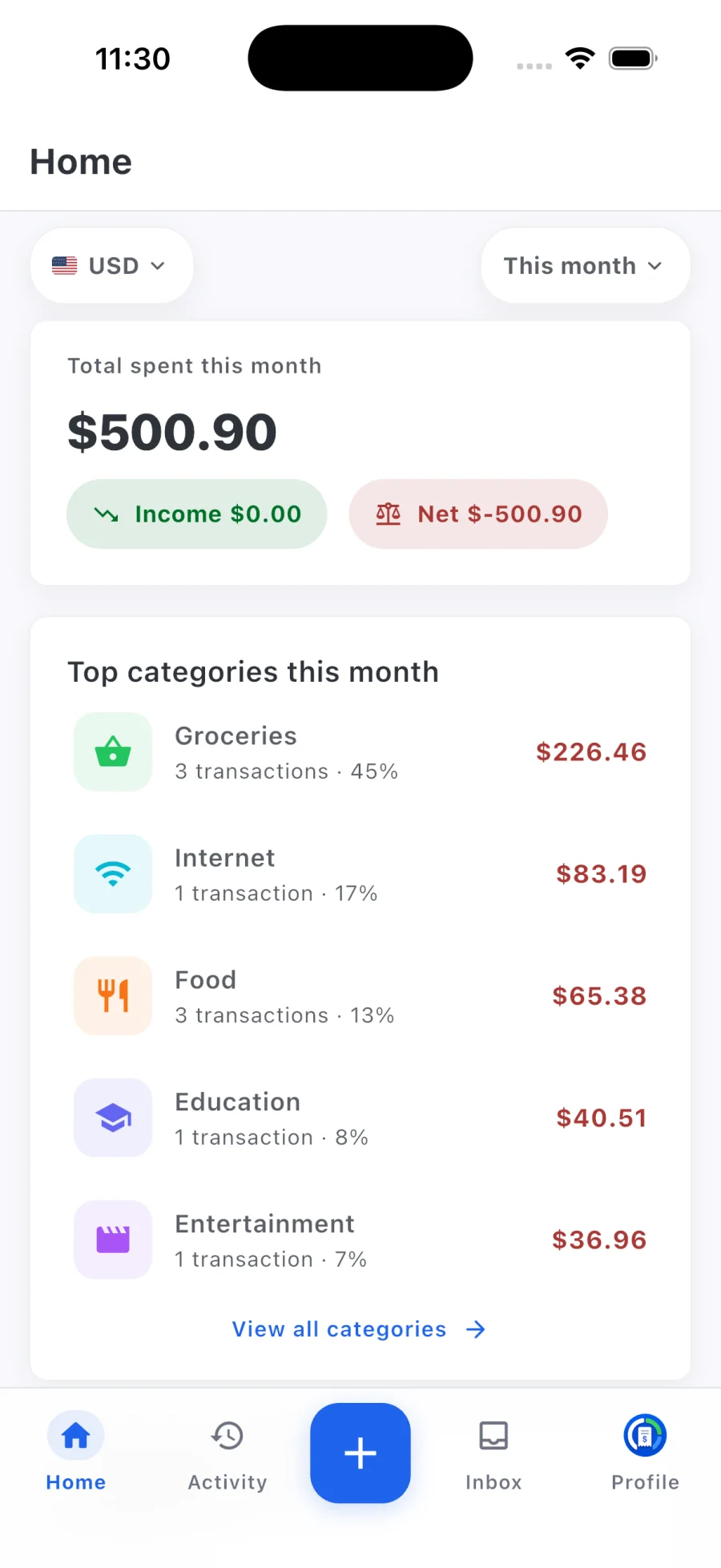
See the full picture
See spending, income, net flow, top categories, and currency-aware totals from a dashboard designed to answer the useful questions first.
Spend less time cleaning up
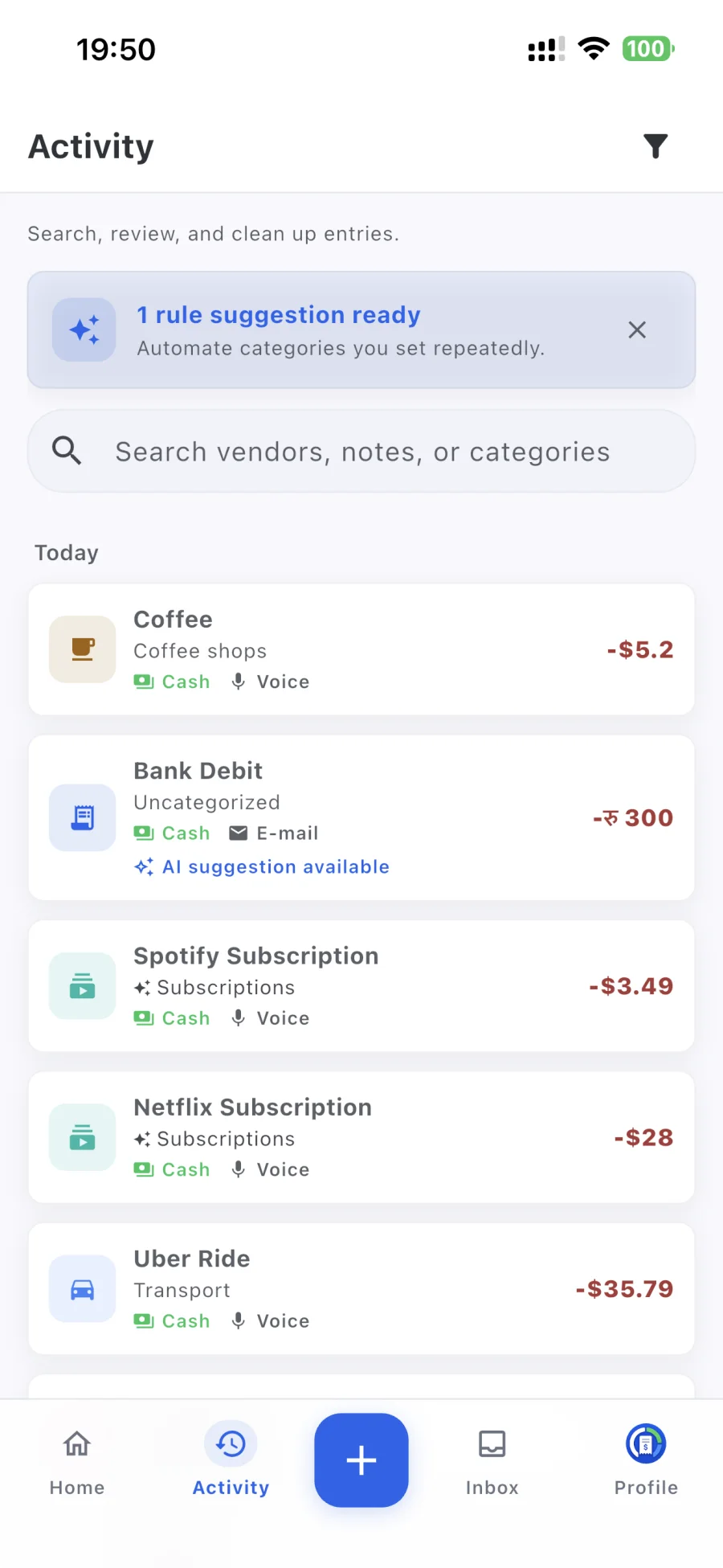
Review AI suggestions, turn repeated corrections into categorization rules, and surface entries that need attention without giving up control.
Read-only Gmail sync
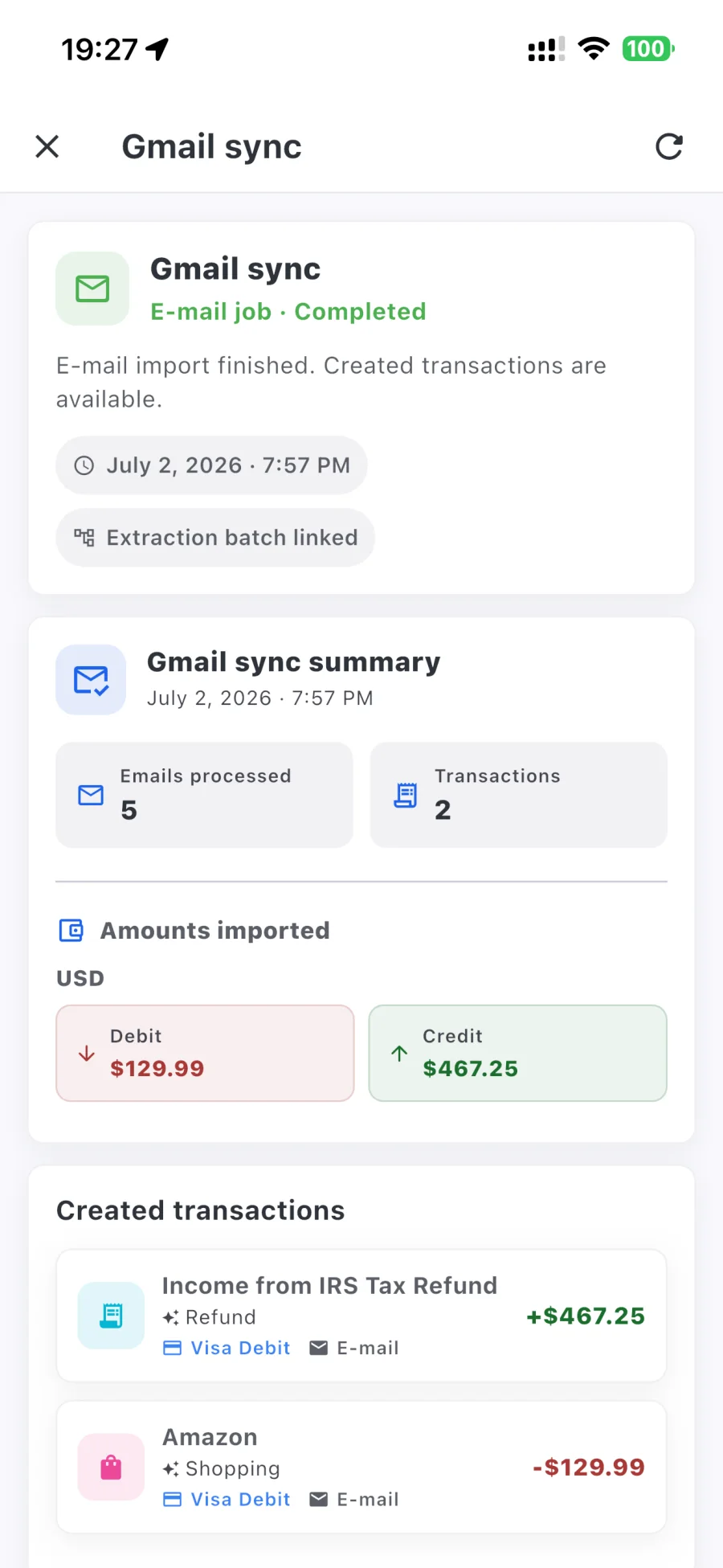
Use matching rules to find supported bank alerts and merchant receipts. Rizur requests read-only Gmail access—it cannot send, delete, or modify your email.
Privacy without the theatre
Rizur needs enough context to organize your transactions—not a blank cheque. You choose what to connect, and every AI-created result can be checked and corrected.
Start free. Upgrade when it helps.
Rizur is free to download. Every account includes three successful lifetime Voice Entries and three successful lifetime Receipt Scans; failed attempts do not count. Premium adds continued AI access and Gmail Sync, subject to fair-use safety limits. Eligible new subscribers can try Premium free for 3 days. Current pricing and terms are shown before purchase.
A few useful answers
Rizur is designed to feel simple, while keeping the important details and decisions in your hands.
No. Speak naturally and include the details you remember. Rizur looks for useful transaction information in what you say.
Rizur understands natural speech across many languages, so you can describe transactions the way you'd normally talk.
Yes. You can mention several expenses or income entries in one voice note and review the transactions Rizur creates.
Every result stays reviewable and editable. You remain in control of the transactions saved in your ledger.
Yes. Core tracking and manual entry remain free, and every account gets three successful Voice Entries plus three successful Receipt Scans for life. Failed attempts do not use a free sample. Premium adds continued AI access and Gmail Sync, subject to fair-use safety limits. Eligible new subscribers can try Premium free for 3 days; current pricing and terms are shown before purchase.
Rizur requests read-only Gmail access and uses matching rules you configure. It cannot send, delete, or modify your email.
You can browse and manage locally available data offline. AI processing and cloud synchronization need an internet connection.
Yes. Rizur supports expenses, income, multiple currencies, categories, notes, and itemized details.
Rizur is currently available for iPhone. Follow the App Store link to see the latest compatibility information.